


 Info@irelandlanyards.ie
 +35 315 314 056
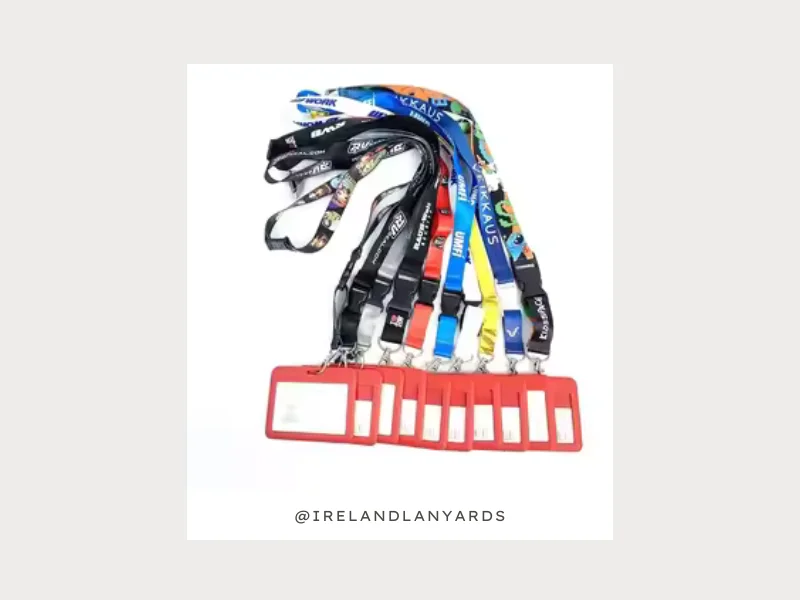
Detailed Process of Creating Your Personalised ID Card in 2026
A poorly designed Identity (ID) card doesn’t just look bad; it can also be dangerous. It takes down with its own self, the credibility of whoever’s wearing it.
So, whether it is for a team, an event, a school, or a business, the card people carry always says something about them. Or about the organisation behind it. The good news, however, is that designing your own custom ID card is far more accessible than it was a decade ago.
This means in 2026, you don’t need a design degree, expensive software, or any premium versions. All you need to know is what goes into a card that works. Here’s exactly that explained in this blog. Are you ready to explore?
Custom ID Card Designing Done Right
Wait… before jumping into the design process, let us first discuss a few important things. Something that is worth immediate attention is what a well-made ID card is actually doing.
Yes, we are pointing towards its function. Many designers don’t bat an eye about it, and it is honestly nothing more than a rookie mistake. Back to the question, what does a card do?
ESTABLISHES TRUST IN AN INSTANT
Think about a visitor walking into an office, a staff member on a shop floor, or just a volunteer at a large event. How do you recognise them? obviously through their cards. You don’t go asking everybody around, do you?
This shows how a custom ID card signals legitimacy and authority, before a single word is spoken. Apart from this, it also carries operational information. Such as:
- Access levels
- Barcodes and QR codes
- Departments
- Roles or designations
Now, let us move to the detailed process of creating your own personalised ones from scratch.
Step 1: Decide What the Card Needs to Contain
This sounds obvious. Most people still skip it and regret it halfway through the design.
· The Non-Negotiables
As simple as it can be, every ID needs a name, a photo, and some form of organisational identifier. It could be a logo, a company name, or both. Do not skip these.
· The Functional Extras
Now, if the card needs to work with access control systems, you will need space for a barcode, QR code, or RFID chip area. But, if it is for a large organisation with multiple departments, a role or department field becomes important too. Last but not least, event cards will bear a validity date, and school cards should ultimately include an emergency contact or student number.
· What to Leave Off
We understand the temptation to include everything, but you need to control it. Or else the ID will become very crowded, harder to read, harder to scan, and harder to trust at a glance.
Step 2: Choose the Right Dimensions & Material
If you want to go with the standard size, follow the CR80 format. It says 85.6mm x 54mm. After that comes the material choice, and here is what the experts suggest.
They say PVC is the most suitable choice. It keeps the ID durable, smooth, and printable on both sides. However, if you want a premium application, you should go for composite PVC cards.
It offers greater rigidity and a slightly higher-end feel. The biodegradable card options are also increasingly available for organisations with sustainability commitments. Hence, suit yourself.
Step 3: Build the Visual Design
This is where most people either get it right or get it badly wrong. First things first, start with a logo. If you belong to an organisation or own one, it must have a visual identity. You need to use that for the design. Just place the logo clearly. It usually goes top left or the top right.
After that, build the colour palette around it. And while you are still at it, here is a reminder: Consistency with your existing branding makes the card feel official rather than improvised.
· Typography Matters A Lot
Do not for a second forget that the name on an ID card needs to be readable at arm’s length. In layman’s terms, you must only use:
- Sans-serif fonts in an adequate size.
- Strong contrast between text and background.
- No decorative fonts at all.
Step 4: Factor In How the Card Will Be Worn
A Custom ID Card that is beautifully designed but awkward to carry defeats its own purpose. So, pause for a moment right here and think about how the card will be used in daily practice. This should influence your design decisions from the very beginning.
If it will be worn on a lanyard, make sure there is a clear punching area at the top. Something that doesn’t cut through important information or the photo.
Is it a sit-in cardholder ID? You must check that the most critical details, like the bearer’s name, photo, and role, are all visible through the window of standard cardholders.
Step 5: Think About the Full Carry System
Did you know, every time organisations across Ireland produce staff cards, volunteer kits, or event credentials, they also produce lanyards. Now, you might be thinking, where did Ireland lanyards come from in the picture? Here is the explanation.
The ID cards rarely exist in isolation. Most people carry them attached to something. And that something is worth thinking about as part of the overall identity system. The Irish printing industry saw the opportunity, and they exploited it.
Now, each of their cards is co-produced as part of a unified package. Oh, how aesthetic! A lanyard in brand colours with a matching card design. It nearly creates a cohesive look that comes across as intentional rather than assembled from whatever was cheapest.
Step 6: Print, Test, Then Print in Bulk
Our final advice in this blog is to NEVER go straight to a full print run without testing first. The wiser way to do it is by ordering a sample card first. Then check them in the actual environment where they will be used. You may think about questions like:
- Does the photo reproduce clearly?
- Are the colours accurate to your brand?
- Does the barcode scan correctly?
- Is the text readable at a normal viewing distance?
Once you are sure they look fine, you can place the bulk order without any doubts.
FAQs
Do I need specialist software to design it?
Not necessarily. You can use tools like Canva and Adobe Express and handle basic ID card design well. However, for cards with barcodes, RFID, or variable data printing, a dedicated card design software can offer you greater control.
What’s the standard size for a card?
CR80 (85.6mm x 54mm) is the universal standard. It matches credit card dimensions and ensures compatibility with cardholders, lanyards, and most card printers.
What information should always appear on an ID card?
- Full name of the cardholder
- Organisation name and/or logo
- Photo (for identification purposes)
- Role or department (where relevant)
- Validity date or ID number (where required)
How many cards should I order as a minimum?
Most professional print suppliers set minimums between 25 and 100 units. But ordering slightly above your immediate need is always sensible.
Can ID cards be updated or reprinted individually?
Yes, most suppliers can reprint individual cards. So, keep your design file accessible and clearly versioned. This helps reprints stay consistent with the original batch.
The Bottom Line
Do you agree that a custom ID card is a small thing that does a surprisingly large job? If yes, then take those few extra steps to get the design right. Trust us, this is a total no-brainer. Moreover, you don’t need to be a designer to make it work. Just stick to a clean layout and clear photos. And that is all. This is enough to turn a simple piece of plastic into a major asset for your business. Get it right, and it then continues to work invisibly for your brand.
I am the author at IrelandLanyards.ie, passionate about helping people discover the best ways to design and order custom lanyards. My blogs simplify technical details into actionable tips readers can really use. I focus on boosting creativity, clarity, and confidence. My aim is to make every lanyard project a success.